[“The charts included are for demonstration and educational use only. They do not represent investment research or trading recommendations. Any investment or trading decisions made based on this information are at your own risk.”]
1. Open the Order/Position
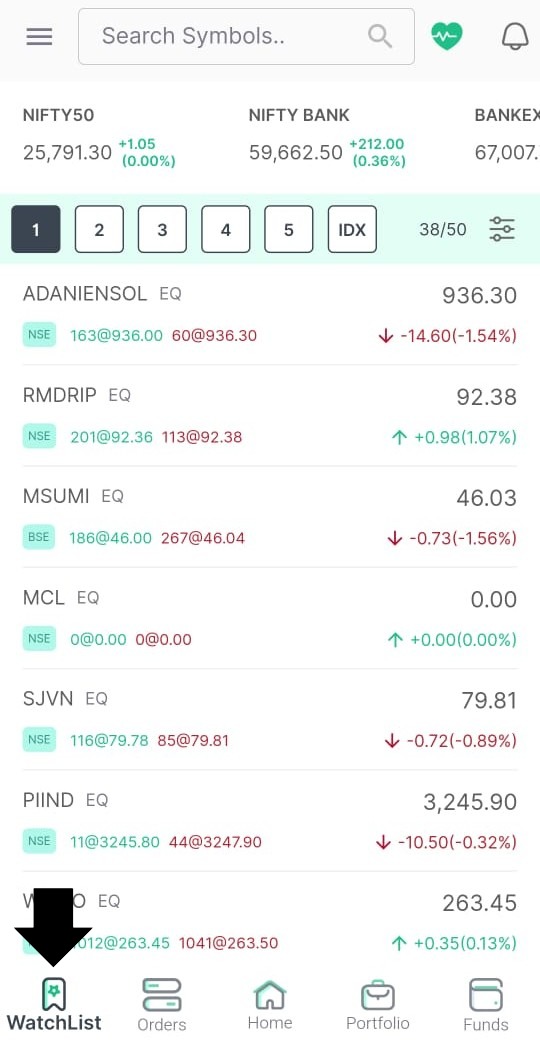
-
Go to Positions if you already bought/sold the stock.
-
Or go to Watchlist if you want to place a fresh order with SL.
A) For New Orders (Fresh Entry with SL)
Step-1: Tap the stock then choose Buy or Sell
Step-2: Select Order Type
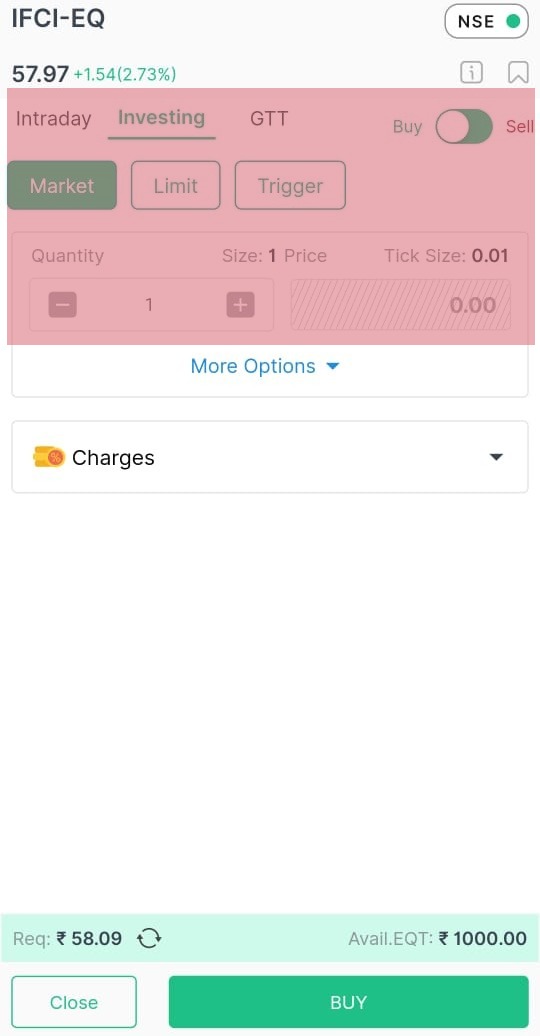
You’ll see options like:
SL (Stop Loss Limit)
SL-M (Stop Loss Market)
Difference:
-
SL - triggers at SL price, executes at limit price
-
SL-M - executes at market price after trigger (higher chance of execution)
Step-3: Enter:
-
Quantity
-
Trigger Price (SL)
-
Price (only for SL order)
-
Validity
Step-4: Confirm & place order
B) For Existing Positions (After you already bought)
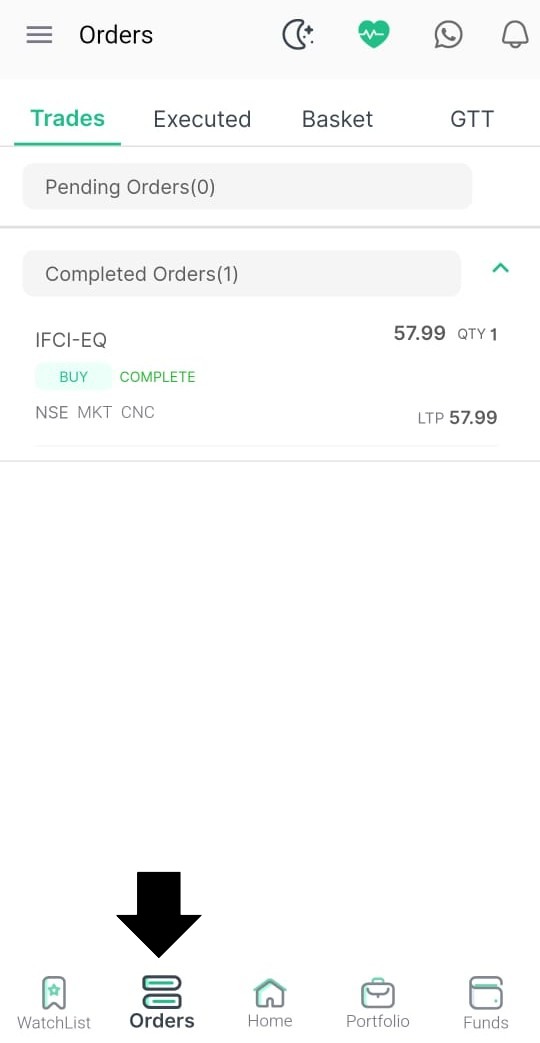
Step-1: Open Positions
Step-2: Select Stock, click Add Stop-Loss / Exit
Step-3: Choose SL / SL-M
Step-4: Enter SL levels and confirm
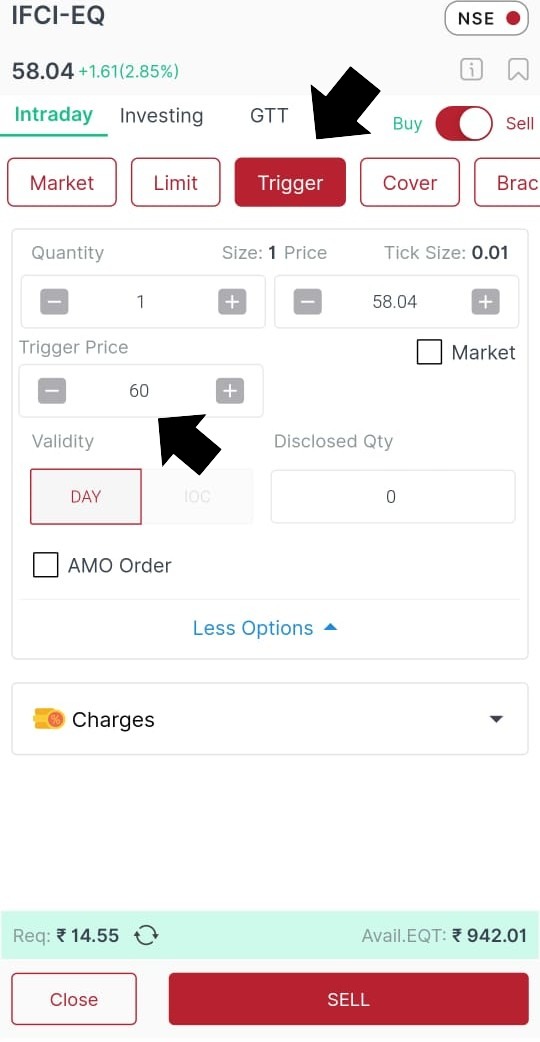
Example (For Understanding)
You buy a stock at ₹65
You set:
-
Trigger Price: ₹60
-
Price (Limit): ₹59.95
If price falls to ₹60, order triggers and sells around 59.95.
Intraday vs Delivery/Investing
| Type | SL Available? | Notes |
|---|---|---|
| Intraday | Yes | Must exit same day |
| Delivery | Yes | SL valid until filled |
Pro Tips for Beginners
- Use SL-M for faster execution in fast-moving markets
- Do not place SL too tight, it may trigger easily
- Adjust SL after stock moves in your favor (Trailing SL strategy)
The Critical Importance of Stop-Loss in Market Trading:
Having a stop-loss is crucial because it limits potential losses, protects capital, and keeps emotions out of decision-making. Markets can move quickly and unpredictably, so a stop-loss ensures you exit before damage becomes too large. It also helps maintain discipline and consistency in trading, allowing traders to survive long enough to capture profitable opportunities.