Trade Smarter & Faster with Scalper Mode in ORCA
 Scalper Mode:
“Get an edge in trading with Scalper Mode in ORCA. It just helps you trade smarter and faster.”
You know, sometimes you just need to get in there and trade without all the extra noise. That’s what Scalper Mode is all about. It helps you focus completely, with no distractions.
You need to be quick, think clearly, and stay totally focused when you’re scalping.It’s really all about one thing: making sure you don’t miss any trades because you’re busy switching screens.Scalper Mode fixes this whole thing by putting AI ideas, quick actions, and widgets you can totally change all into one easy-to-use spot.
This was made for scalpers. We made it really fast.
When it comes to scalping, every second truly counts. It’s not about what you think might happen; it’s about what you can do right now.This app is built to make sure you stay focused on your trading, without having to switch back and forth between different screens.
- AI Insights
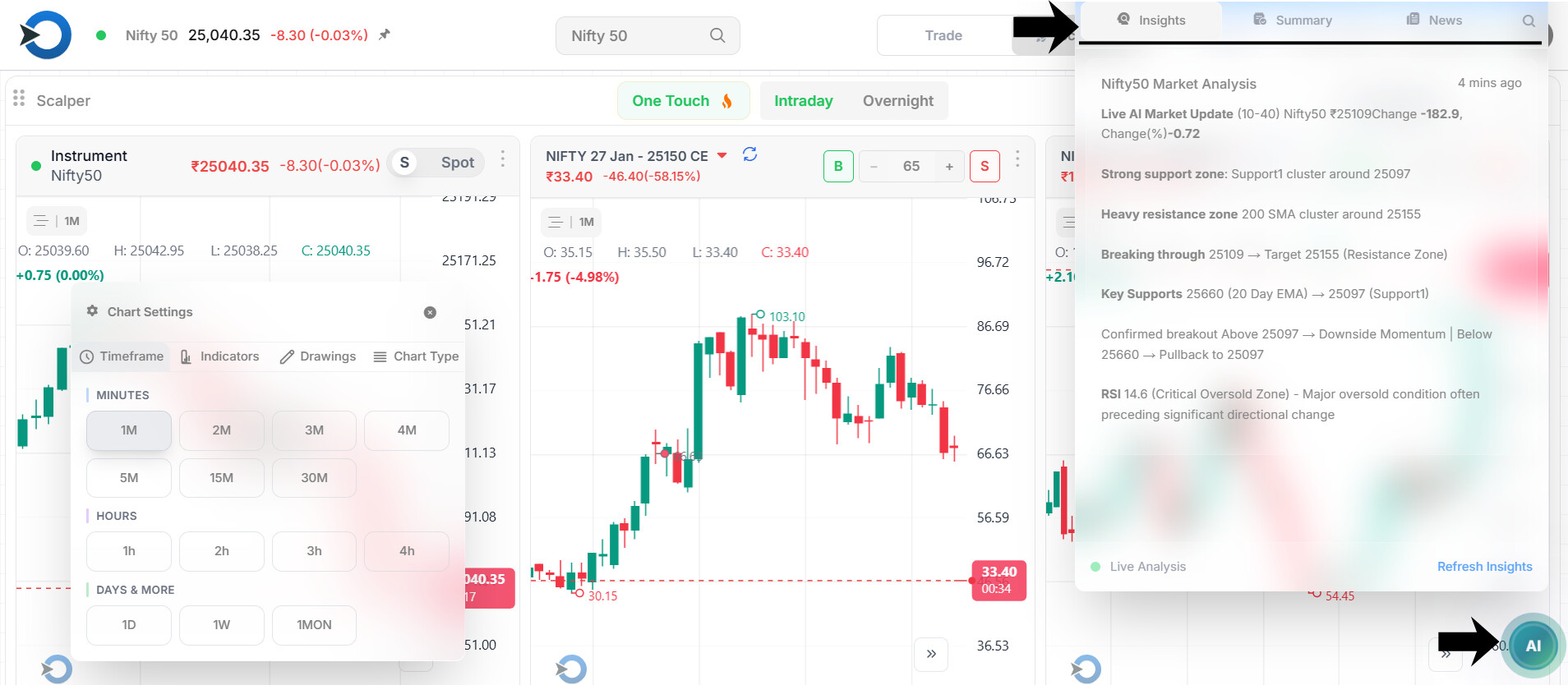
Ever wonder what it’s like to trade smart, and do it right away? That’s what AI Insights brings to the table. Trading what truly matters, in an instant. We’re just showing the signals that are really likely to happen soon.Just the essential scalping signals, with no extra noise or overthinking.
This makes it easier to jump in and start right away.
-
AI continuously scans price action, momentum shifts, and option behavior.
-
Only high-probability, short-term signals are highlighted.
-
No noise, no over-analysis, just actionable scalping cues.
-
Helps avoid hesitation and late entries.
- One-Touch Trading – Speed Is the Edge
-
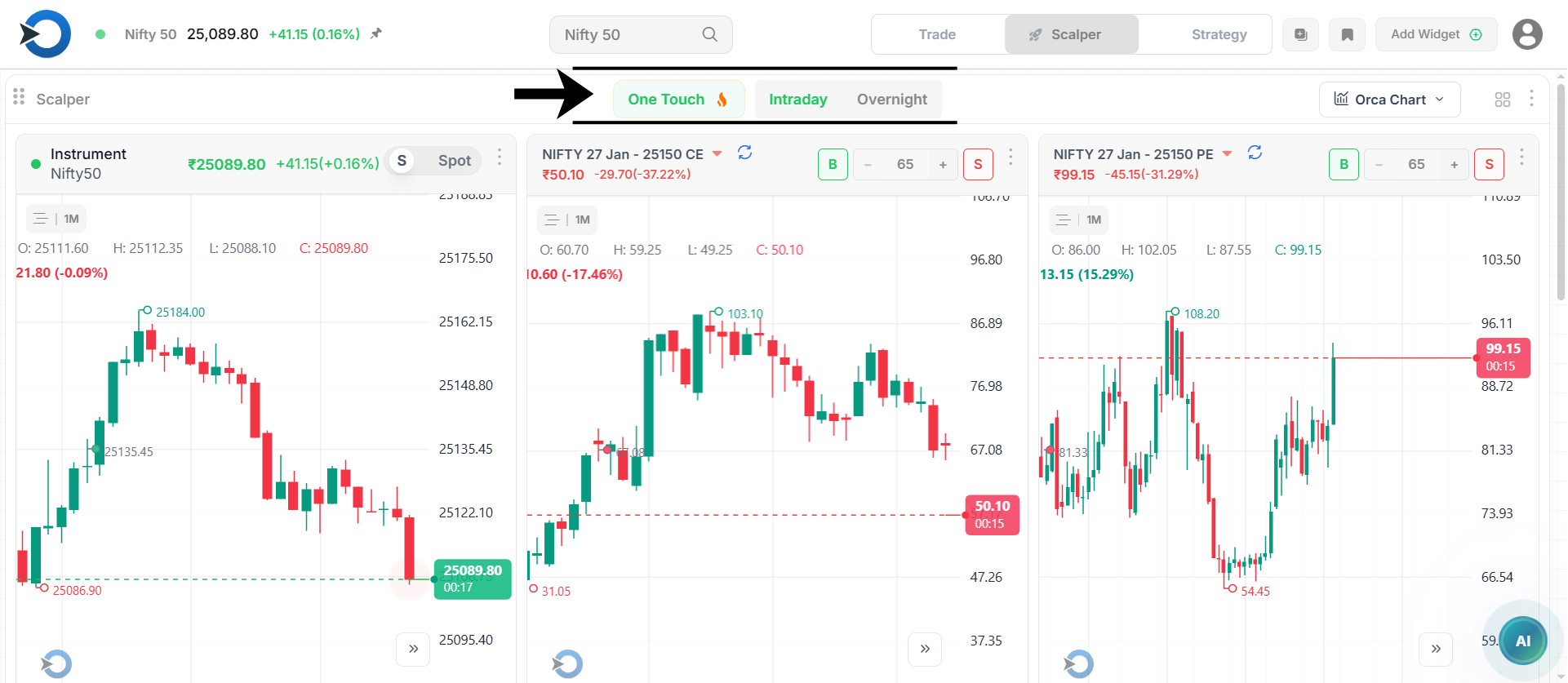
Execute, modify, or exit trades with one tap.
-
No manual switching between charts, options chain, and order windows.
-
Reduces reaction time - critical in fast scalping moves.
-
Enables quick profit booking and controlled losses.
- Smart Widgets – See Only What You Need
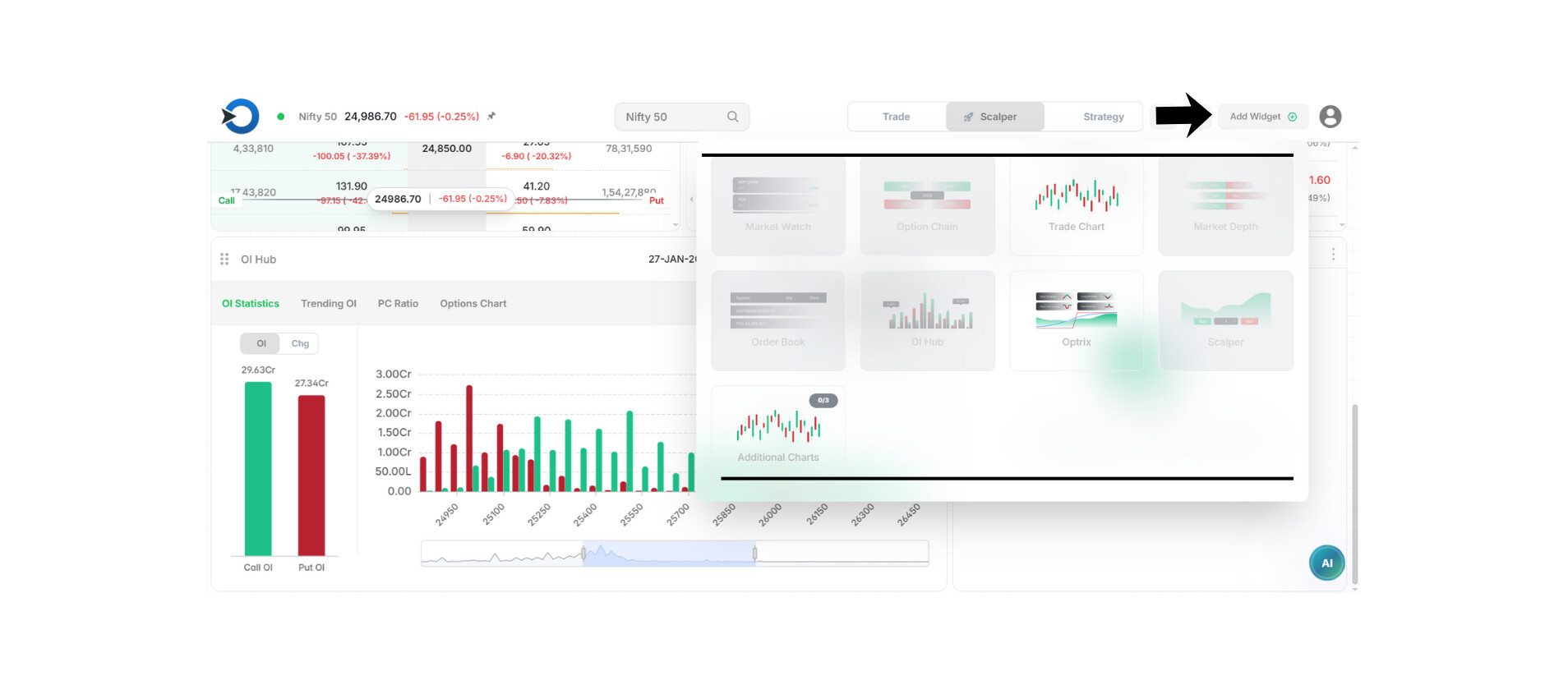
- Smart Widgets means you see just the right info, no more, no less.
- Widgets can be something you really like.
- This is for when you really need to concentrate.
Always keep your eyes on the important stuff: price, options, momentum, and anything AI tells you.
- Fully Customizable Layouts
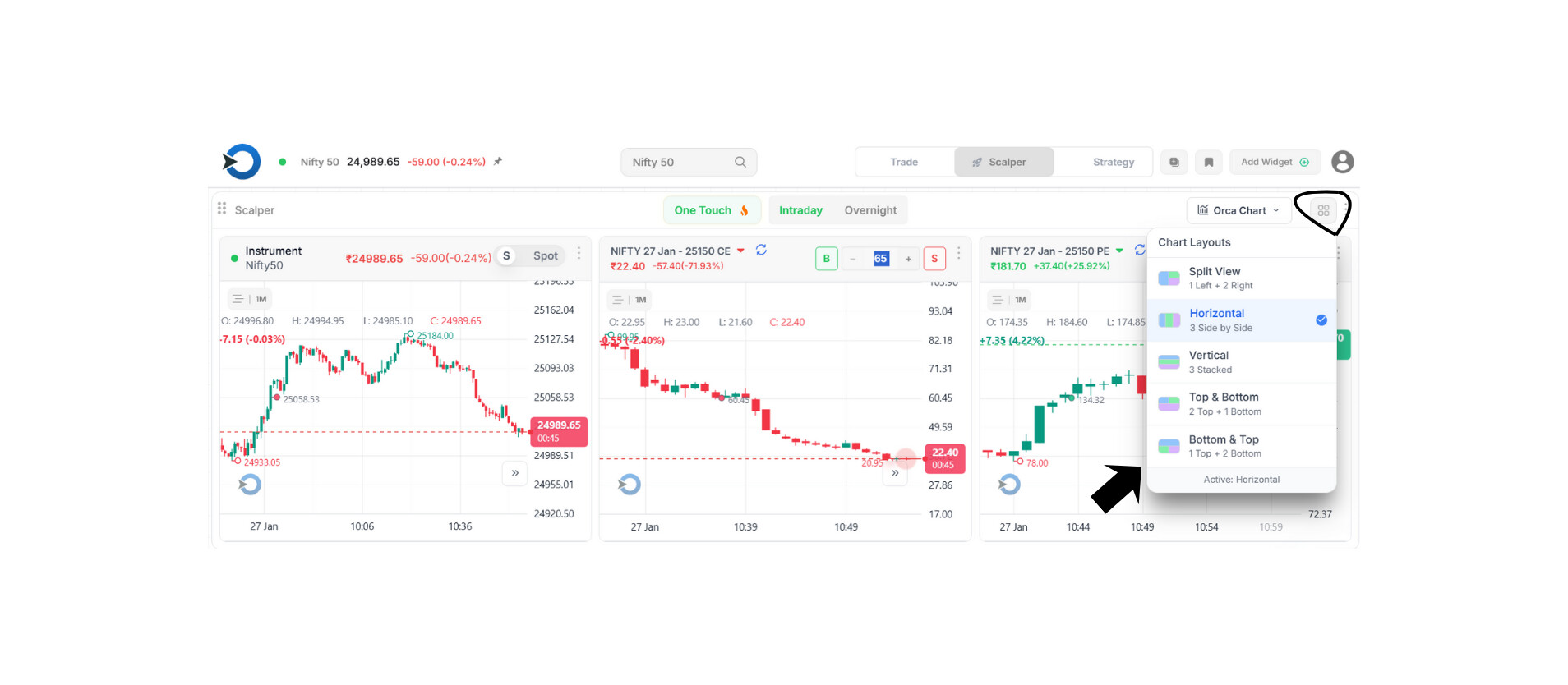
Design layouts based on your scalping style, you can set it up however you want.
- Layouts should be designed to match how you like to scalp; this is key.
- An aggressive scalper is a person who buys and sells things super fast to make tiny profits. They do it a lot in a short amount of time.
- “Premium decay scalper” is pretty much just someone who tries to make a bit of money by taking advantage of how options lose value over time, doing it super fast.
- This is a scalper that looks for breakouts and reversals.
- You can move the widgets around however you like; there’s no set layout you have to follow.
- You can save a bunch of different layouts and swap between them whenever you need to.
Why This Matters for Scalpers:
- You won’t miss anything even if you’re switching screens a lot.
- Getting to decisions faster with AI backing you up.
- Making things easier to understand with simple pictures helps everyone stay more organized.
- We’re aiming for every task to be done the same way, every time, It’s just that simple.
- Old ways of doing things mean you’re stuck fiddling with screens all the time.
- With Scalper Mode, you can handle your trades.
FEATURE COMPARISON
Scalper Mode vs Traditional Trading Screens
| Feature | Scalper Mode (ORCA App) | Traditional Trading Screens |
|---|---|---|
| Screen Navigation | Single, unified workspace | Constant screen switching |
| Trade Execution | One-touch buy/sell/exit | Multiple clicks & confirmations |
| Trade Signals | AI-driven, real-time scalping cues | Manual analysis & guesswork |
| Widgets | Fully customizable, hide/show instantly | Fixed layouts, limited flexibility |
| Layout Control | Multiple saved scalping layouts | One rigid screen setup |
| Speed of Execution | Ultra-fast | Slower due to navigation |
| Focus Level | High, only relevant data shown | Low, cluttered with noise |
| Missed Trade Risk | Minimal | High due to delays |
| Scalping Friendly | Built specifically for scalpers | Designed for general trading |
The Difference Is Simple
Traditional platforms make you manage screens.
Scalper Mode lets you manage trades.
In Short:
Scalper Mode brings together AI intelligence, quick one-touch trading, and layouts you can change to fit your needs. It’s all about helping traders on execution, not navigation.